
Layers and cutouts
Combine a subject, background, overlays and watermark in one composition. Background removal and a restore brush help prepare cutouts and clean up edges.
From a character cutout to a finished scene. Work with layers, change backgrounds, add effects and assemble animated GIFs in one local Windows app.
The demo lets you try the core tools. Exports have a size limit and a watermark; the full version unlocks clean exports.
Thaluna Image is my app. TemplePC and the app are developed by the same author — this page is self-promotion.
Combine a subject, background, overlays and watermark in one composition. Background removal and a restore brush help prepare cutouts and clean up edges.
Add speed lines and other effects, prepare pixel-style images or export sprites at a defined size.
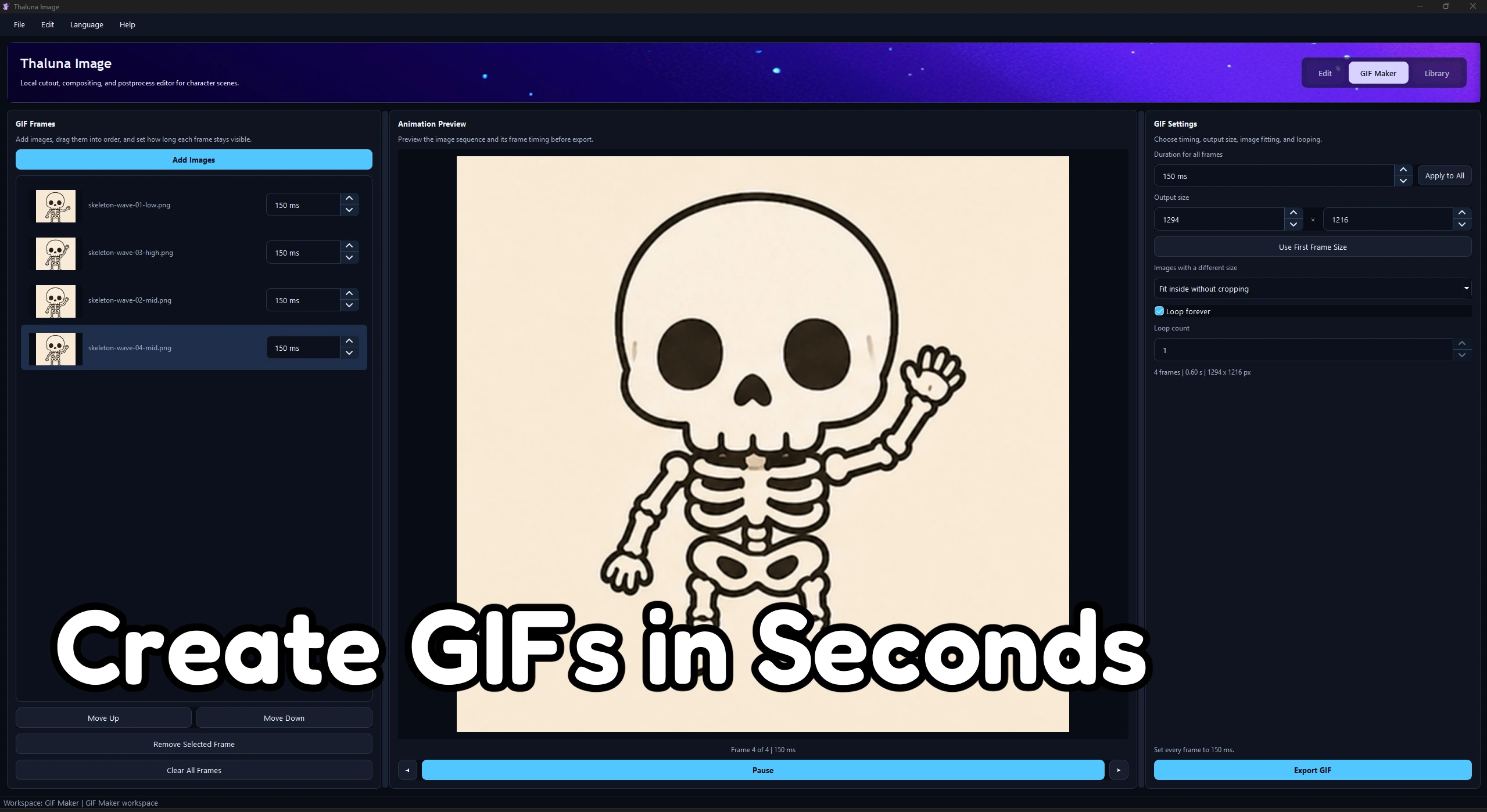
Arrange frames and set GIF timing, size and looping. Saved sessions let you return to a composition with layer settings preserved.
Add your images, choose their order and timing, check the animation in the preview, and export the result.
Core editing runs on your own computer. The app is a one-time purchase; visit itch.io for the current price, demo and downloads. Local upscaling is available on supported hardware.
Full version on itch.ioThaluna Image edits images you supply. It does not generate images from text prompts. Try cutouts, editing and exports with your own materials to assess quality and the workflow.
Try the tools in the demo before deciding about the full version.