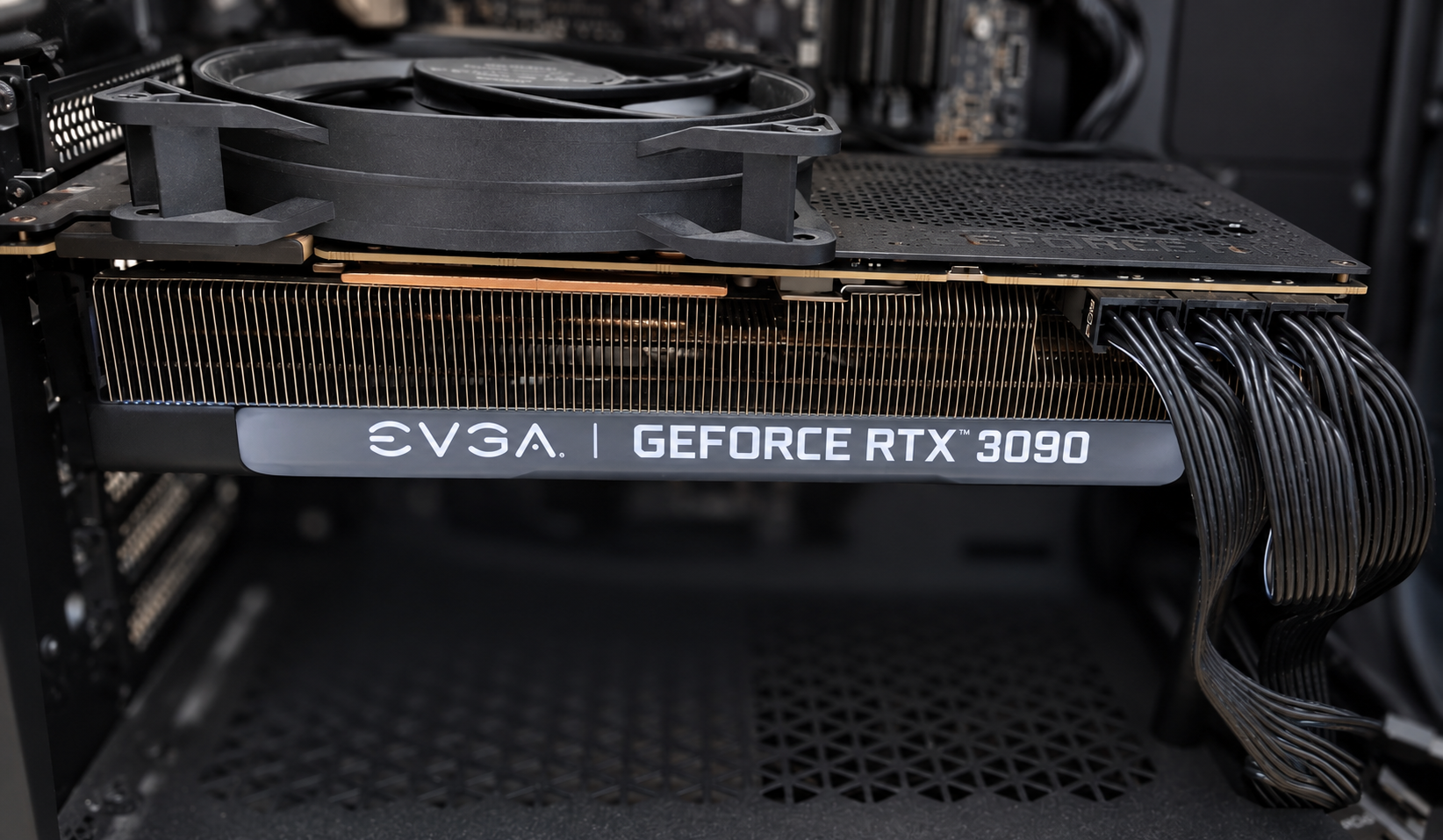
GPU core temperature does not tell the whole story. The memory can run considerably hotter. The RTX 3090 deserves attention at the rear as well, because some GDDR6X chips sit on the other side of its PCB.
My RTX 3090: around 100°C to around 90°C
My RTX 3090 often showed a memory temperature around 100°C. I added an ordinary be quiet! case fan from a Pure Base 500 and directed airflow at the rear plate. In my PC, the reading came down to around 90°C, including heavy use where the card drew close to 400 W.
These are approximate observations from use, not a controlled comparison with matched room temperature and fan speeds. I am not promising everyone a 10°C reduction. It does suggest trying simple airflow before immediately dismantling the card.
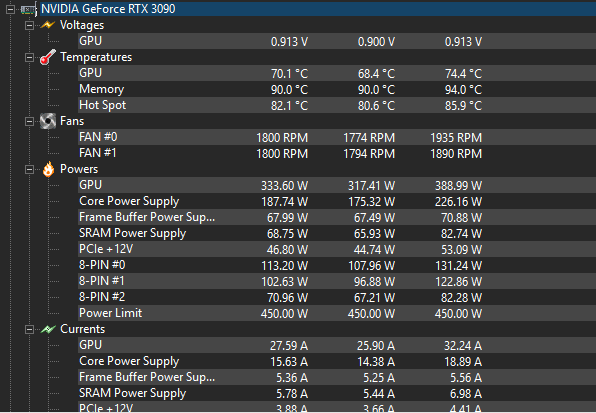
This screenshot documents the setup with the extra fan. Maximum temperature and maximum power need not have occurred at the same moment. The earlier roughly 100°C comes from my own observation; without a matching baseline screenshot, this is not a controlled before-and-after benchmark.
The memory is not mounted on the backplate
The chips are soldered to the circuit board beneath the rear plate. How their heat reaches that plate depends on the specific card and its thermal contact. A fan aimed at the area can improve air movement near the surface. That does not establish a universal temperature reduction. Different coolers, case layouts and mounting positions produce different results.
What can limit the benefit?
Poor thermal contact, unsuitable pads, cramped space or already-hot case air can limit the improvement. More airflow cannot repair every cooling problem. Do not extend the conclusion to every GPU or automatically to the RTX 3090 Ti. Check the exact board design rather than assuming the family name establishes the memory layout.
Make a controlled before-and-after comparison
Keep the workload, graphics settings, power limit and other fan speeds unchanged. Record room temperature and wait for readings to settle. Repeat the same workload with the extra airflow. Log memory temperature, core temperature, power and fan speeds. Repeating the baseline afterward helps reveal differences caused by the scene or gradual room heating.
One temperature reading does not identify one side
Memory Junction does not identify whether the hottest memory is on the front or rear of the PCB. Improvement after adding airflow is useful evidence about the setup, not a per-chip thermal map.
Keep the experiment mechanically stable
Secure the fan so it cannot move, obstruct the cooler or catch a cable. Do not leave conductive metal loose near the electronics. Adding airflow does not inherently require opening the cooler or replacing thermal pads. If memory temperature is the actual issue, this can be a reasonable experiment before more intrusive changes. What matters is the measured result on your card.
A dedicated kit or an ordinary fan?
Dedicated heatsink and fan solutions also exist, but I began with a fan I already owned. Check the exact card model, mounting and case clearance before buying a kit. An unverified price or a generic 3090 label does not establish compatibility.