
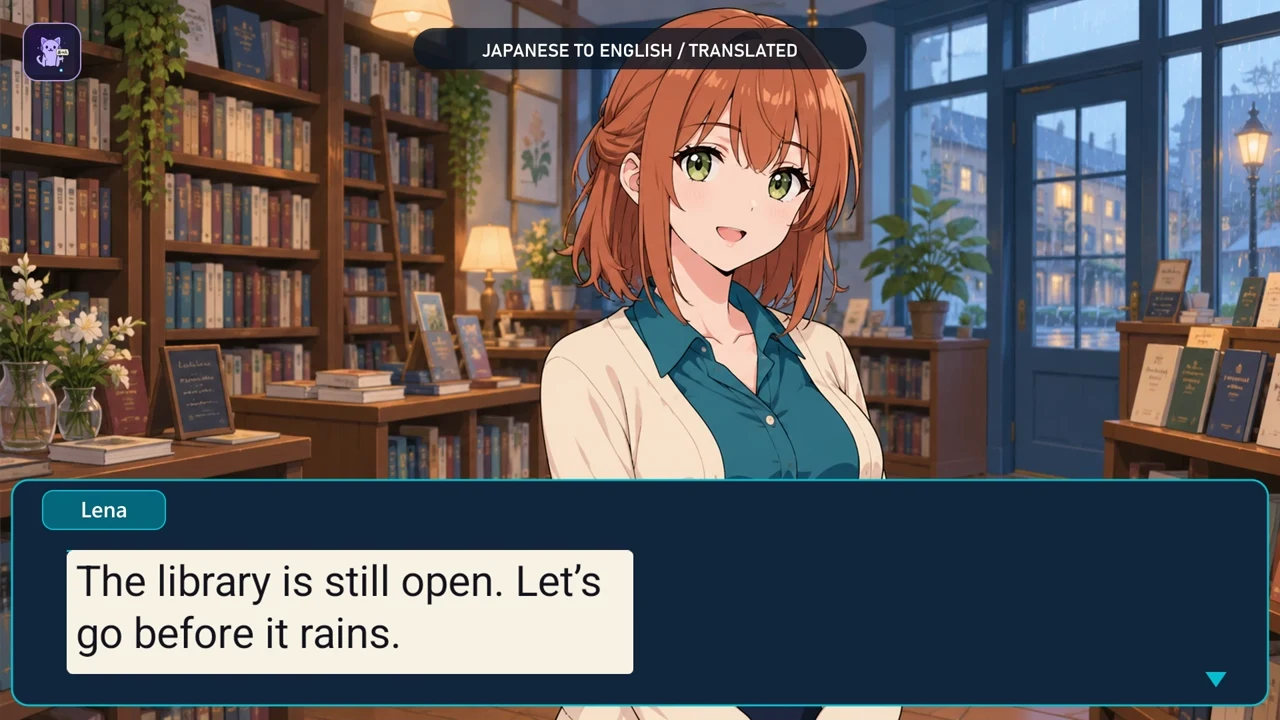
Disclosure: I develop Thaluna. This is a guide to my own app, not an independent review. The Android version is now publicly available on Google Play.
A practical guide to screen OCR, in-place translations and nearby captions, using our own Thaluna Android app and clearly marked demonstration scenes.
A mobile game can have readable dialogue but no language option you need. A comic can be a flat image rather than selectable text. Screen translation can help: OCR reads the visible characters, a translation engine processes the recognized text, and an overlay displays the result. It does not modify the game files or create an official localization.
Examples show the source text first, then actual OpenRouter translations. Layout and timing are edited for readability, not a speed test. The fictional scenes use AI-assisted illustrations. A separate Basic Offline example appears later in the guide; the engines can give different results.
First: choose where the translation should appear
Game Lens places translated text over detected text regions. Nearby Lens keeps the original visible and adds a nearby translation window. Nearby is useful when you want to compare the source with the translation. The best choice depends on the layout and capture behavior of your phone.
Set it up once, then follow the dialogue
- Choose source and target languages in Thaluna.
- Choose Basic on-device translation or configure your own OpenRouter key. Download any required local language models before relying on offline use.
- Allow Thaluna to display overlays. In the Android sharing dialog, approve only the app or screen you actually want to translate.
- Place a region around the dialogue, leaving a little room around its letters. Avoid timers, moving HUD elements and unrelated text.
- Select Game Lens or Nearby Lens and let automatic translation follow text changes. Reposition or resize the region when the source layout changes.
Comics: check both the text and reading order
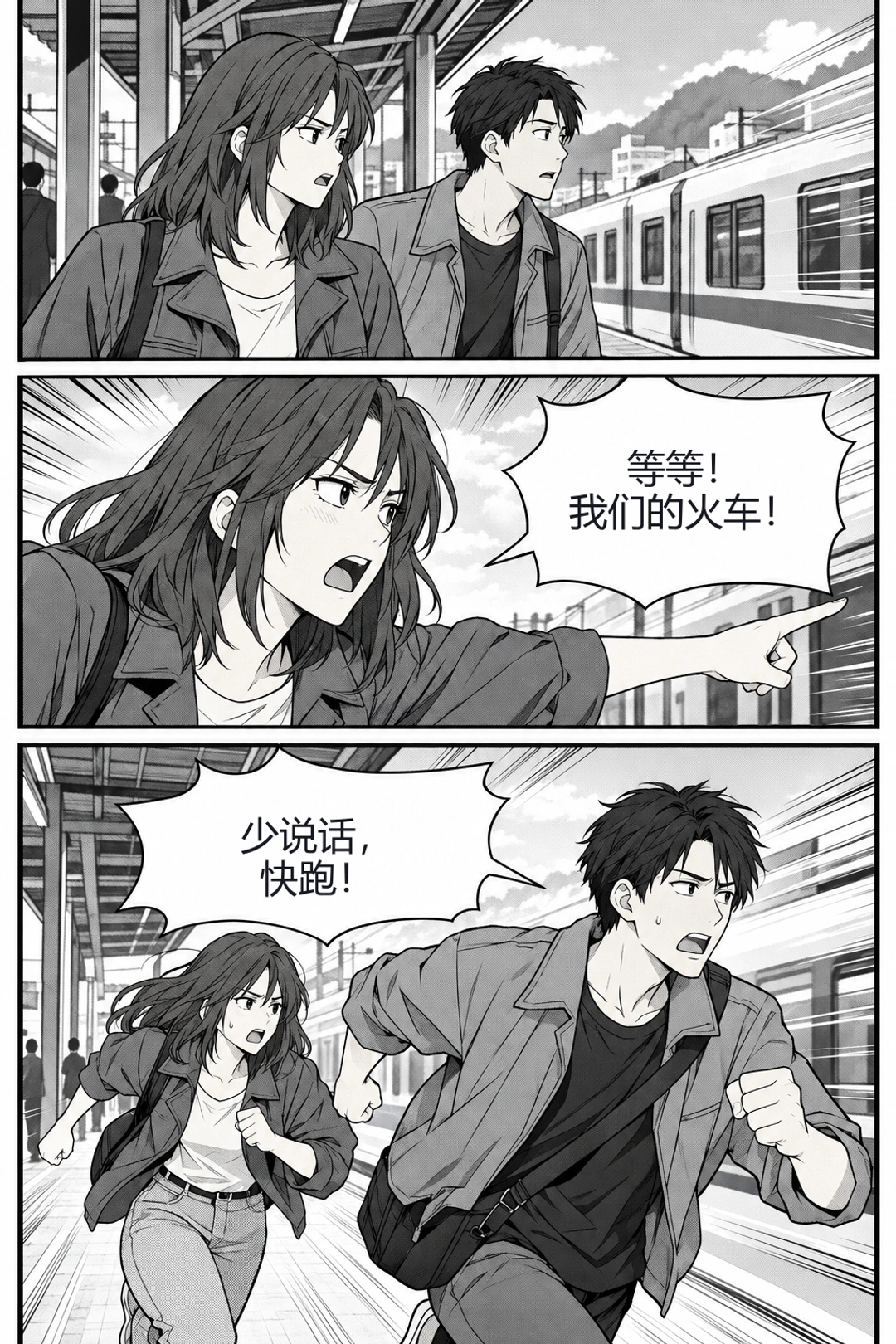
The example below starts with the Chinese original, then shows the English translation directly in the bubbles. Every page should get a fresh recognition result. Small lettering, vertical text, unusual bubble shapes and overlapping artwork can make OCR miss a word or split a sentence. Check important dialogue rather than treating any overlay as an authoritative translation.
When you want to keep the original
In this English-to-Polish example, Nearby Lens leaves the English game dialogue visible and puts a translated caption above it. You can keep reading without switching to a separate translator app. Overlay placement may still need adjustment, particularly after rotation or a change of source layout.
Local translation is not the same as OpenRouter
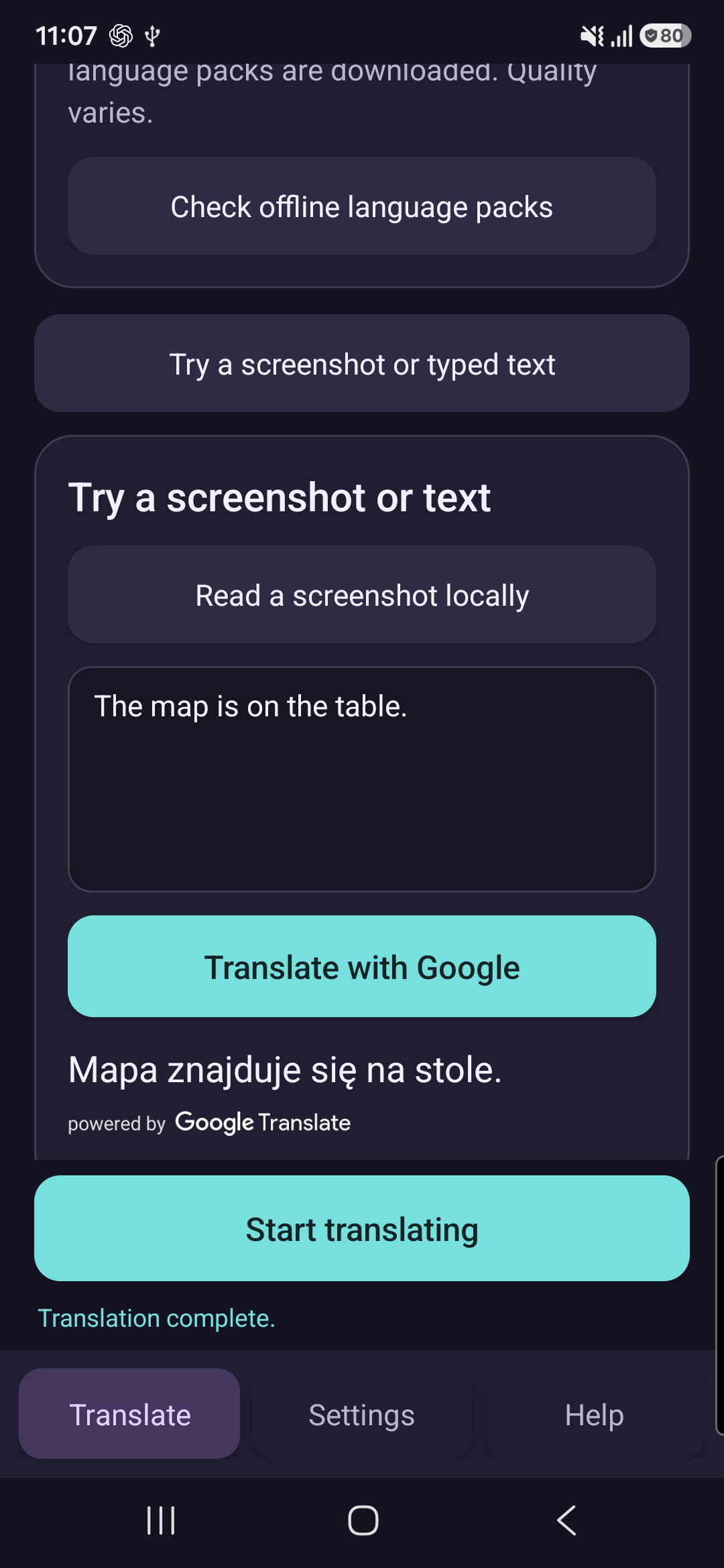
Basic Offline uses an on-device engine after its required models are available. OpenRouter is optional and sends recognized text to the chosen online model. The animated game and comic examples use OpenRouter; the separate Basic Offline screenshot below is explicitly labeled. A Pro purchase does not pay for OpenRouter API usage.
What can still go wrong
Decorative fonts, low contrast and fast-changing subtitles are harder than a stationary dialogue box. OCR can confuse a letter or miss text; translation quality varies by language and engine. Protected video may be unavailable to screen capture. Sharing the entire screen can also include overlays, so use single-app capture when Android offers it. Older devices or whole-screen capture can show capture-related flicker.
A Basic Offline example from the app
Basic Offline translates text on-device after the language packs are downloaded. Below is a real v25 Galaxy A54 screenshot: English entered into the text tool and its Polish result. This uses a different engine from OpenRouter and typed input rather than game OCR; it is not a speed comparison.
Languages, engine and Help in one place
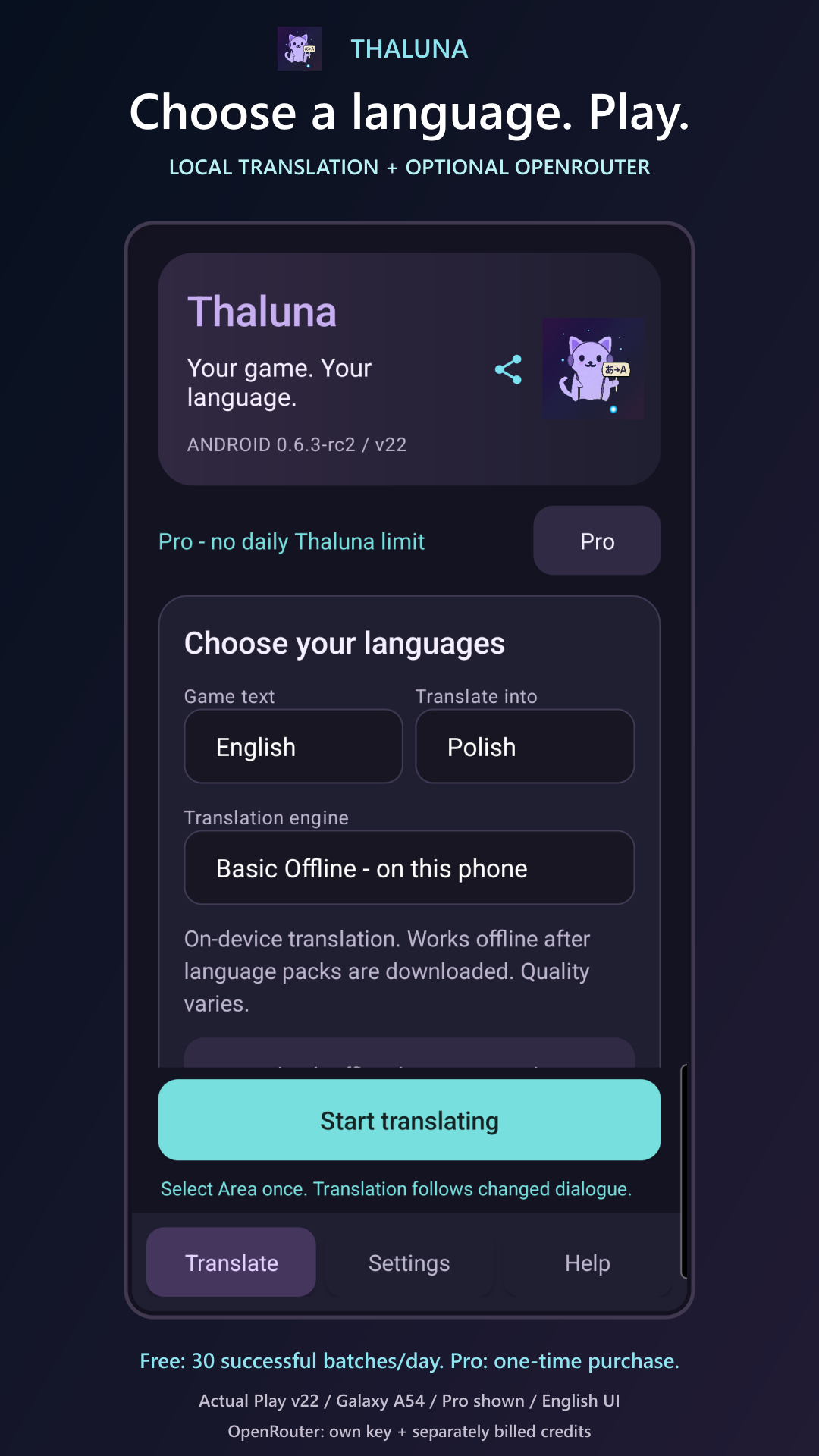
Choose the language the game displays separately from your translation language. The first-run guide explains setup; a separate six-step guide covers the floating controls. Both can be replayed from Help after stopping the session.
Price and availability
Thaluna is available on Google Play. Free includes 30 successful translation batches a day; one batch can contain several text boxes. A one-time Pro purchase removes Thaluna's daily limit for both engines: base price USD 12.99, or PLN 49 in Poland. Google Play shows your local price before purchase. No subscription or ads. OpenRouter credits are separate, and Windows Full does not include Android Pro. Requires Android 8.0 or later; the interface and tutorials are currently in English.
Privacy before convenience
Share only the content you intend to translate. Stop the capture session when you are done. The optional diagnostic export is user-initiated; do not include API keys or private screenshots in feedback. The Android privacy policy explains local processing, SDK diagnostics and optional online translation.
Read the Android privacy policy
Watch three before-and-after examples
The video shows library dialogue, changing comic pages and Nearby Lens. This is an edited demonstration with English narration, not an OCR speed benchmark. Each translation is preceded by its source text. The layout is adjusted to the vertical video format.